
Manually Register EPREL-ID in NOBB Supplier
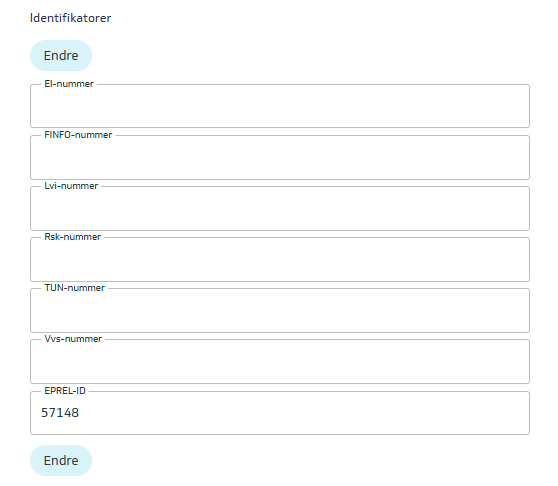
In NOBB Supplier, the EPREL-ID is registered on each individual product. The field can be found under the Product Data tab, within the Identifiers group.
Click the Edit button, and enter the product’s EPREL-ID in this field. Remember to publish the products after saving your changes.
Register EPREL-ID via Excel Upload
It is also possible to upload EPREL-IDs via Excel. To do this, export the products you want to update to Excel, enter the EPREL-ID in the Excel file, and then upload the Excel file back into NOBB Supplier.
Export Products to Excel:
-
Search for the products you want to update.
-
Select the products in the search results.
-
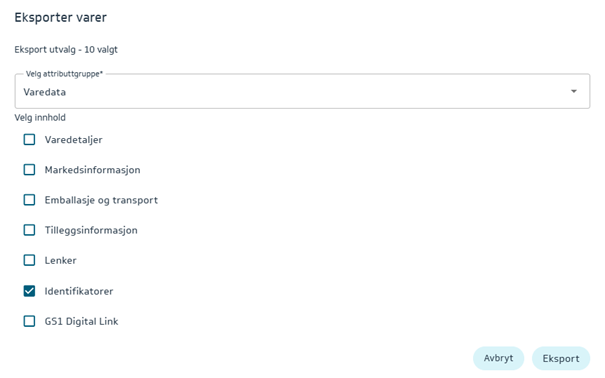
Click the Export button.
-
Choose Product Data, and check the box for Identifiers.
Next, fill in the EPREL-ID values in the corresponding column in the Excel file.
Import the changes into NOBB Supplier by uploading the Excel file via the menu Products – Upload Products. Select Update existing products from Excel, and choose the Excel file you want to upload.
Remember to publish the changes at the end.