
If you don’t know the customs code for a product, you can search by number or text in the Search field. This field appears when you click in the Customs NO code field.
NOBB Supplier also includes an AI assistance feature that helps you find suggested customs codes using artificial intelligence.
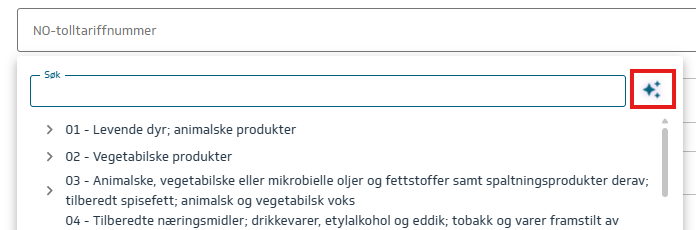
The icon for the AI assistance feature is shown to the right of the search field, marked in red:
Click the icon to display a list of possible customs code groups:
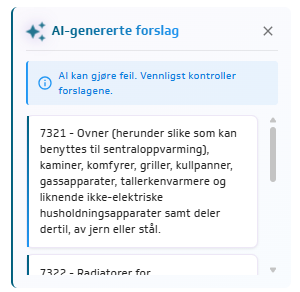
Select the group that is relevant for the product. The search results on the left side will then be filtered, making it easier for you to locate the exact customs code.
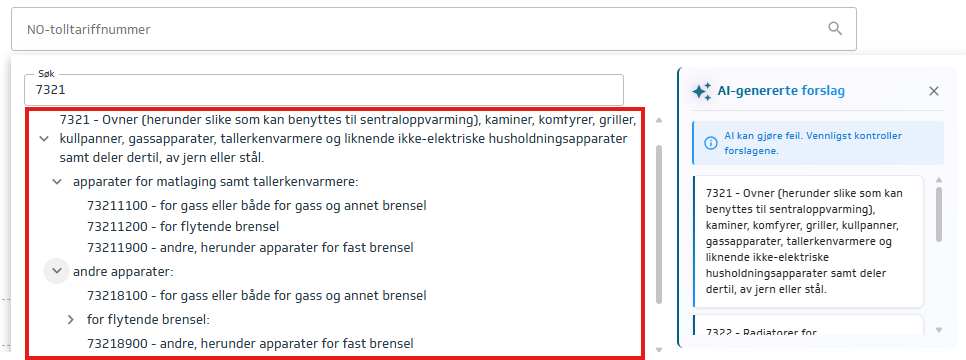
Choose the customs code from the list (8 digits).
Please note that AI-generated suggestions do not always provide correct answers and are intended only as assistance in finding the correct customs code.