
-
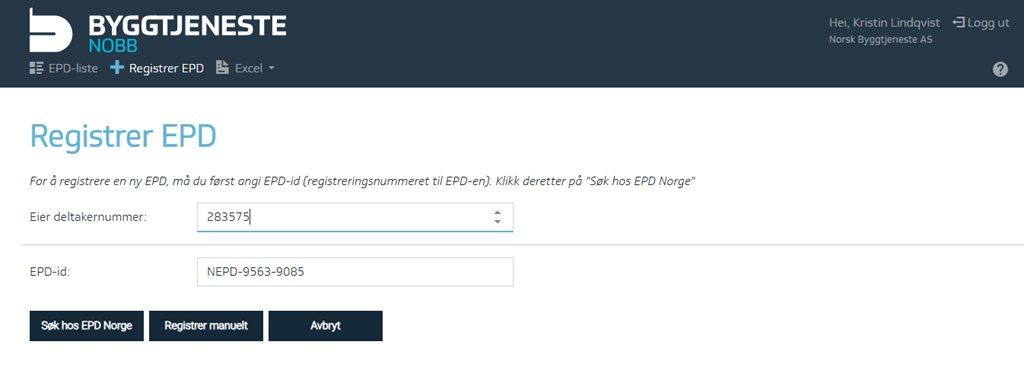
Go to the register and select + Register EPD.
-
Paste the EPD ID copied from the specific EPD you know exists in EPD Global (only one EPD can be imported at a time).
-
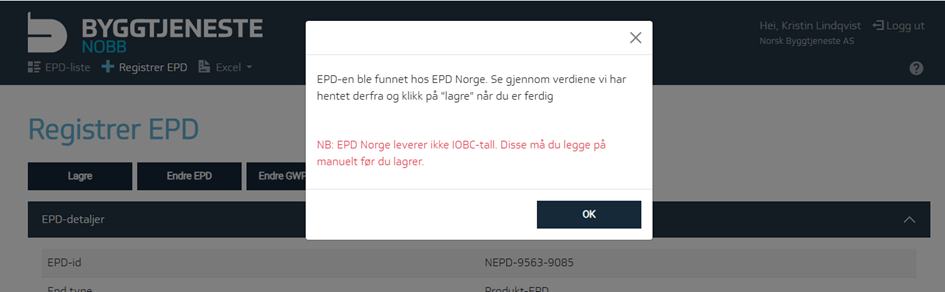
If the EPD exists in EPD Global, the data will be retrieved from there.
-
Click OK to review the EPD before registration.
-
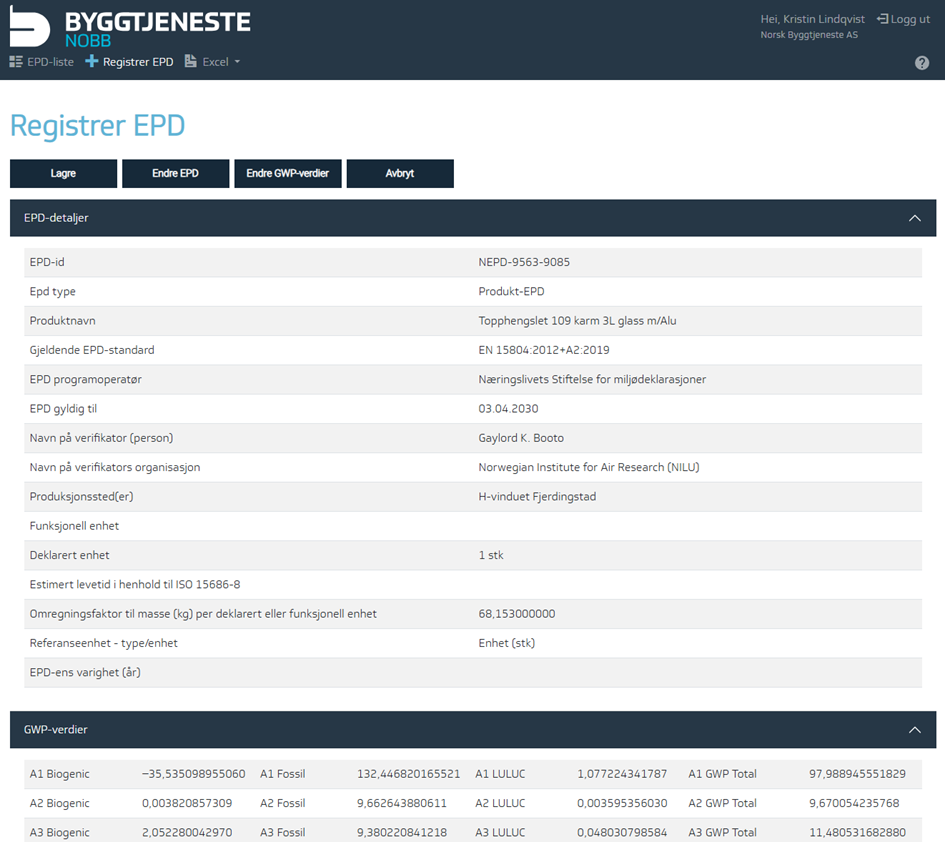
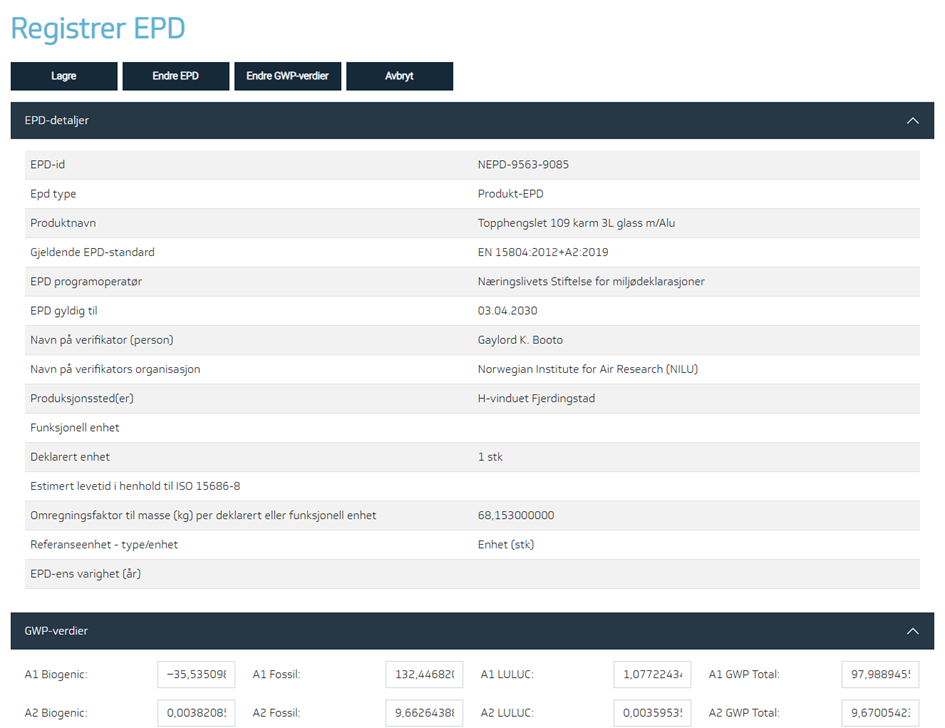
Here you can check and edit the data if necessary.
If the EPD specifies GWP-IOBC, go to Edit GWP values. This must be updated manually since EPD Norway does not currently provide this.
-
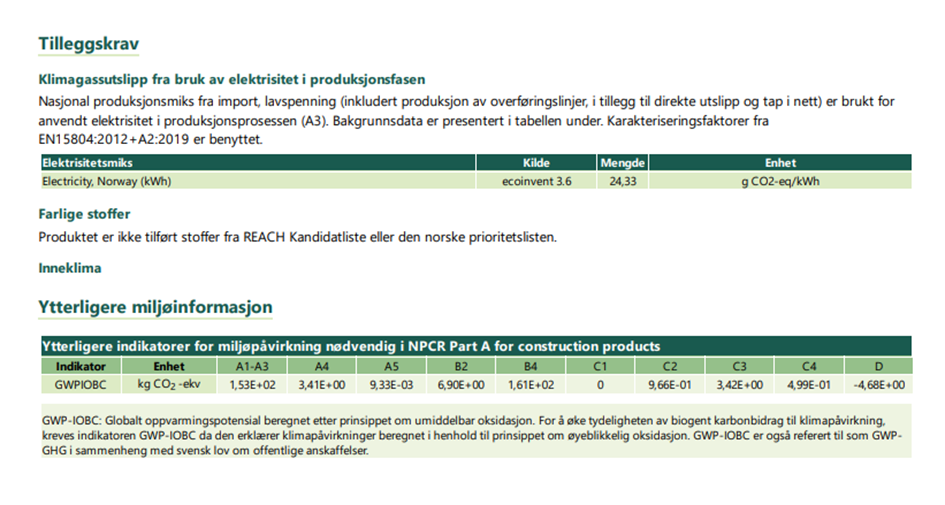
The GWP-IOBC values are specified in the last table of the EPD, usually found on the second to last page. Remember to follow the rules for updating these values — see:(en) Regler for hvordan GWP-verdier registreres
-
Save the updated data.
-
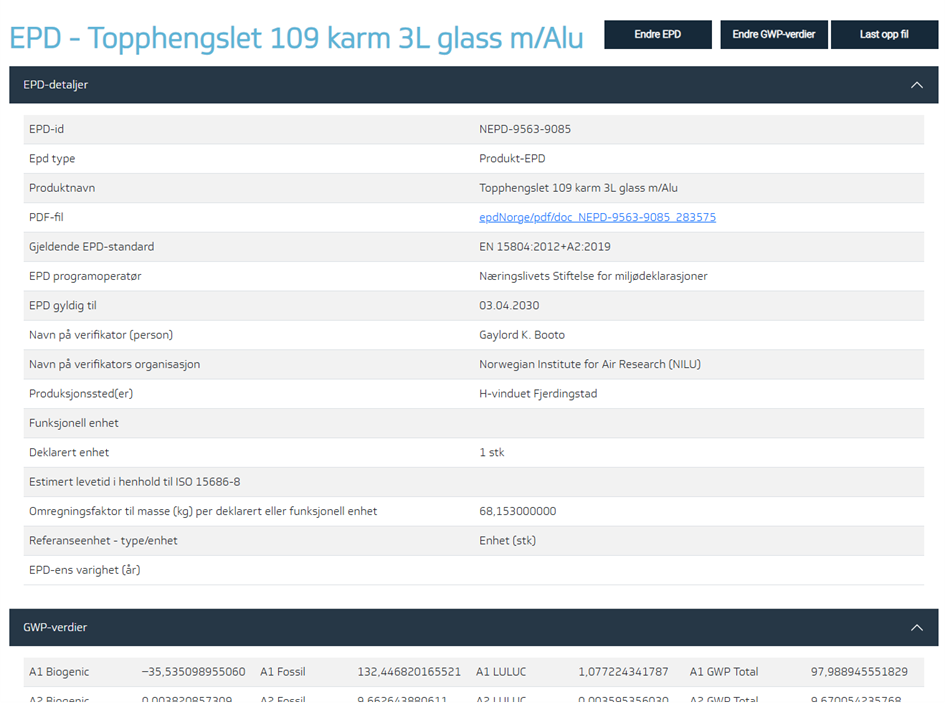
Once saved, the page will display like the image below, including a link to the registered EPD.
After registering an EPD, it is important to link it to the product. Read how to do this under Environmental Data.