
Link Published SDS to Items in NOBB
Now that the SDS is fully registered and approved, relevant items can be linked. This can be done either from the individual item or from the document.
Link SDS to Individual item
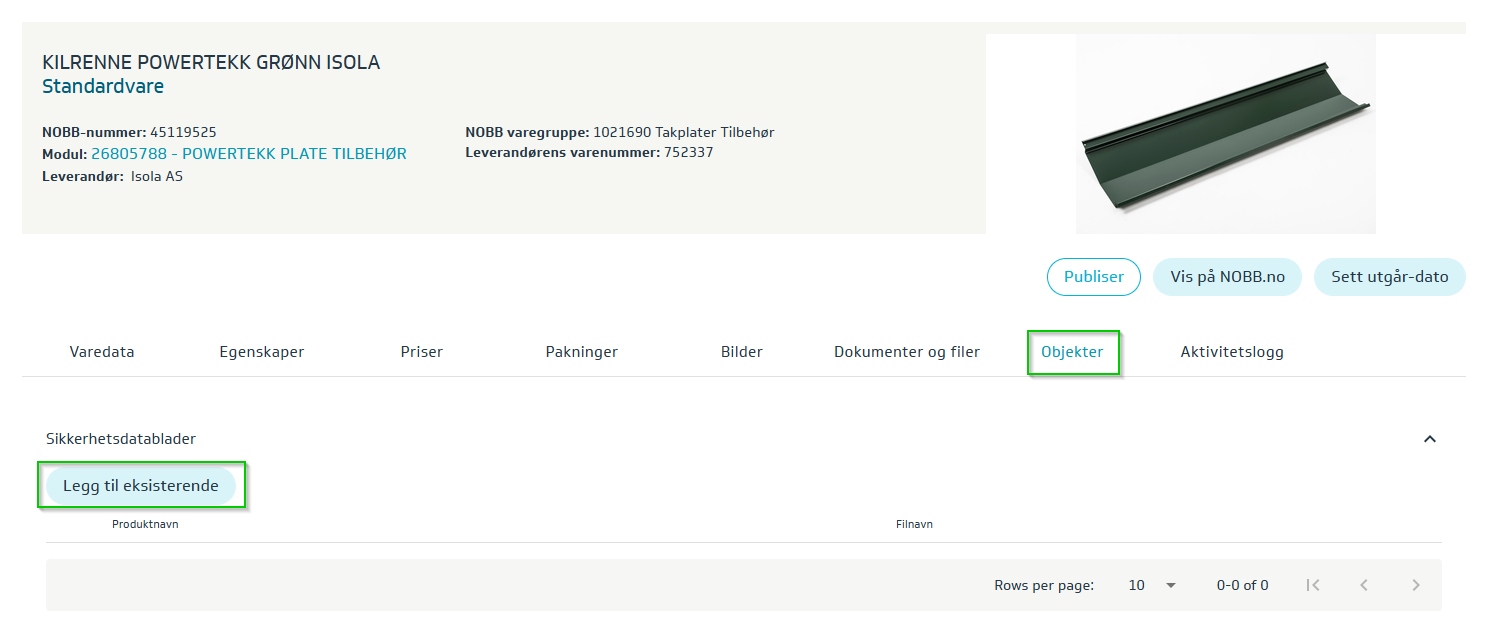
This is done on the individual item. Search for the item and open it. Select the tab Objects -> Add existing -> Check the relevant SDS -> OK.
The item is then updated, and the approval status for the item will change to Modified, not published. Publish the changes made to the item. If the only change made to the item is linking the SDS, the item will automatically be approved and machine-readable SDS info is now available to all actors who retrieve information from NOBB.
Link items from the Safety Data Sheet
It is also possible to link items from the safety data sheet. Go to the menu Objects -> Safety Data Sheets. Then click on the relevant safety data sheet and go to the tab Related items.
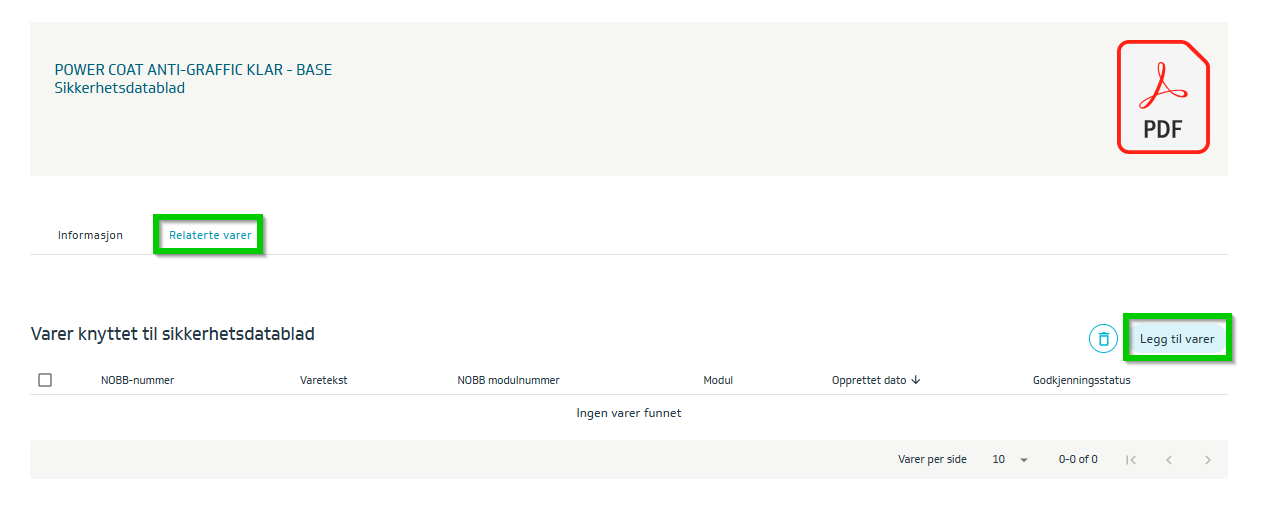
Click the button Add items. Search for the item(s) that belong to the safety data sheet. Mark the items and click Save.
The items are now linked to the safety data sheet and are ready to be sent for approval.