
Check data and fill out remaining information
Open the safety data sheet by clicking the icon on the right side.

The solution is prepared for the following sections:
Section 1: Identification of the substance/mixture and of the company/undertaking
Section 2: Hazard identification
Section 3: Composition/information on ingredients
Section 14: Transport information
See descriptions under Terminology Descriptions Safety Data Sheet
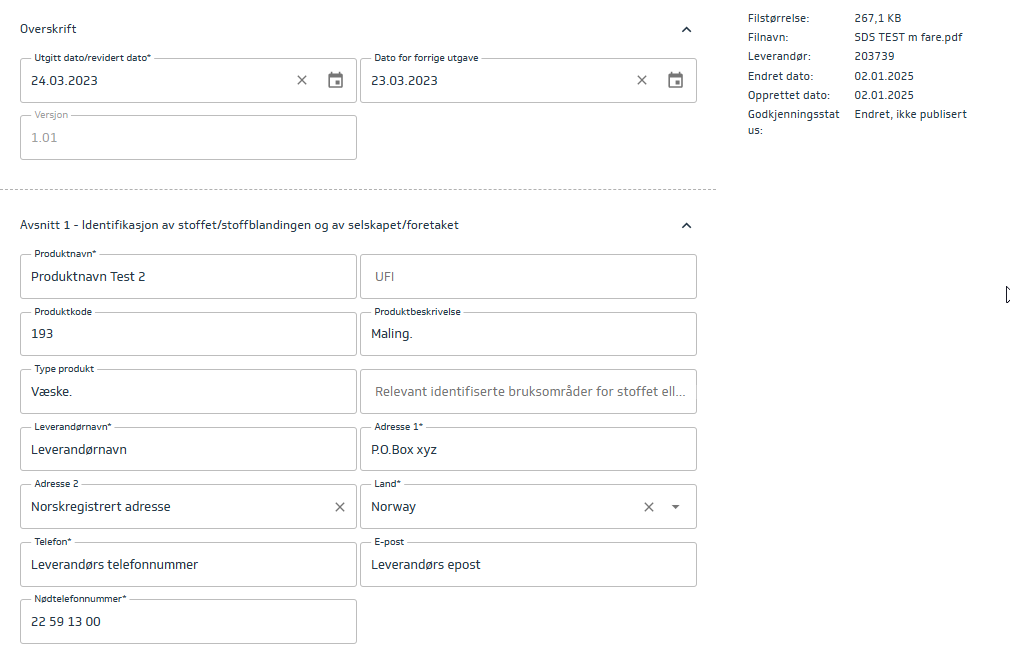
Section 1 - Identification of the substance/mixture and of the company/undertaking
Contains identification of the substance/mixture and the company.
Contact information should also be included here.
Mandatory fields:
Product name
Version
Issue date/Revision date
Country
Supplier name
Address
Phone
Emergency phone
Section 2 - Hazard identification
For detailed information about the data fields, see here: Terminology Descriptions Safety Data Sheet
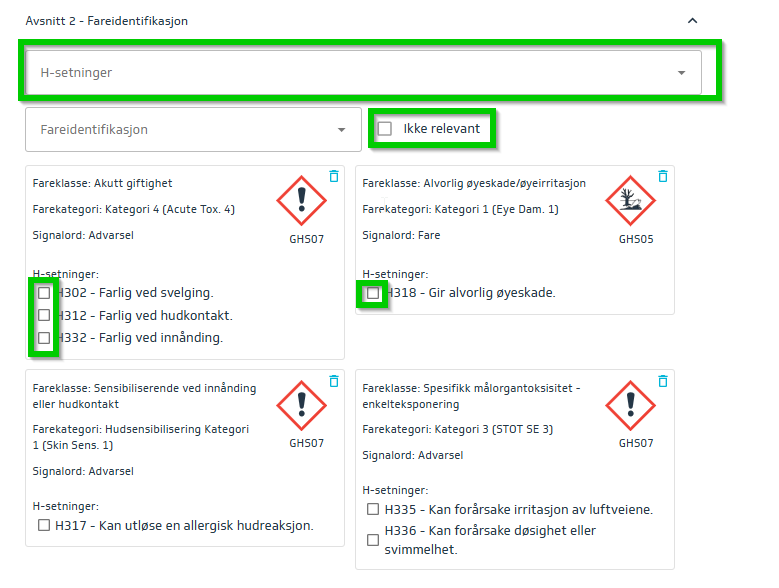
Check off relevant H-statements in the various hazard categories.
If some hazard categories are missing, these can be added manually in the dropdown menu marked Hazard Identification.
If the safety data sheet does not specify hazard categories, you can check off Not relevant.
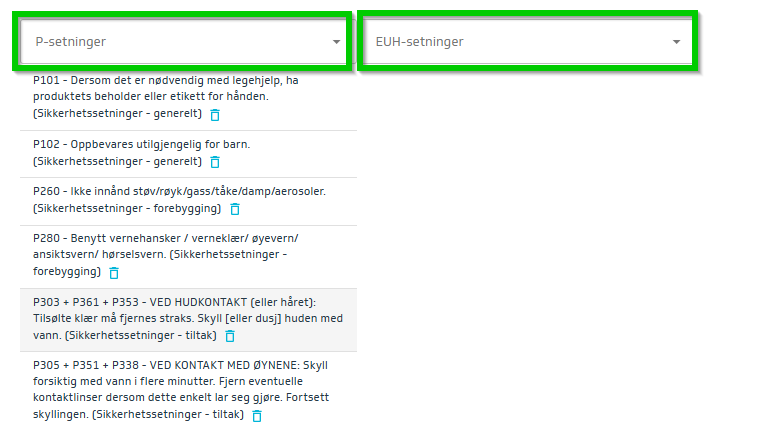
Make sure all necessary P-statements and EUH-statements are also added.
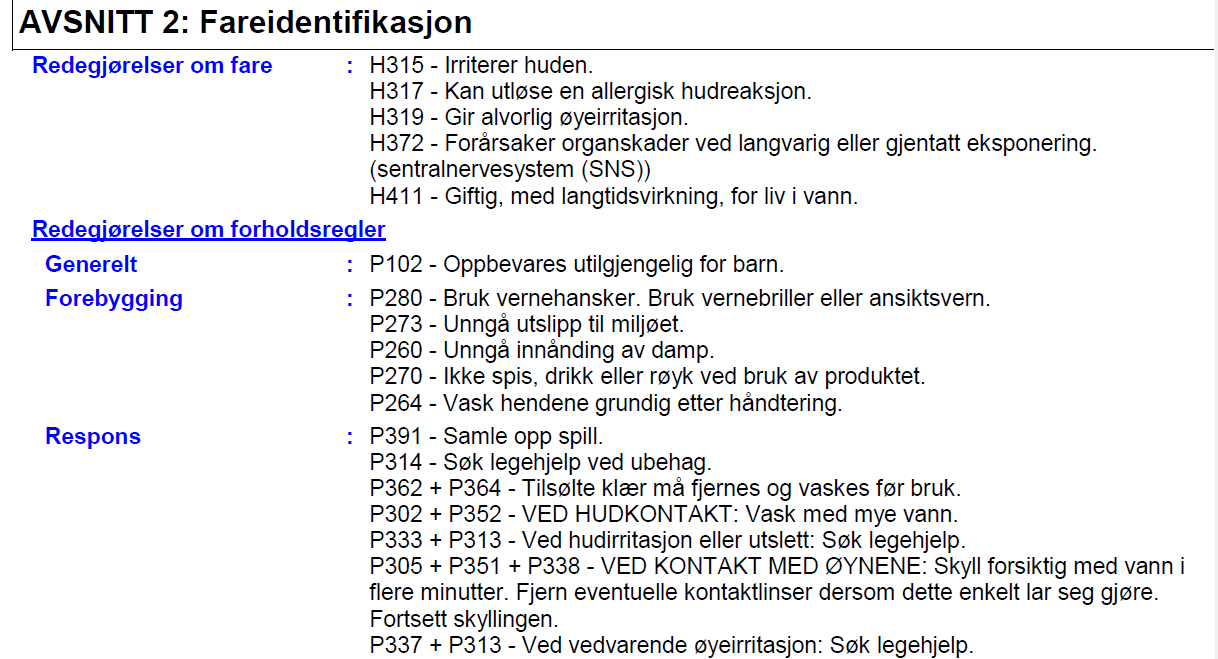
This information may appear in various ways in the safety data sheet but will always be under section 2 and must include H- and P-codes.
Section 3 - Composition/information on ingredients
For detailed information about the data fields, see here: Terminology Descriptions Safety Data Sheet
Contains information on composition.
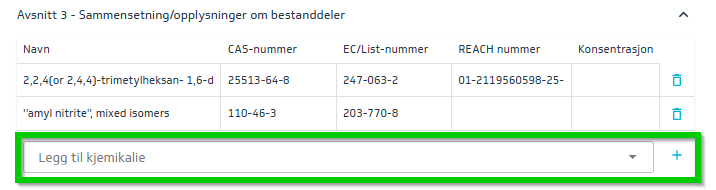
The different components of the product must be listed along with CAS number, EC/List number, REACH number, and concentration.
Every section is to be filled out if there is data in the SDS, although ecsactly what is listed might very in different SDS’.
It is possible to use the search bar and search for the chemicals on ECHAs list using name, CAS-number or EU/EC/List number. A drop down menu will appear, so that the user can choose the correct chemical compound and add it by clocking “+”.
If the compound is not on the ECHA list, and no drop down meny appears, it has to be added manually, by clicking the “+” button to create a new, black row that can be filled out.
Section 14 - Transport information
For detailed information about the data fields, see here: Terminology Descriptions Safety Data Sheet
Concerns transport information.
Note that this relates to transport by road.
Fill out any data fields not automatically filled in and check important information such as Environmental hazard: yes/no.
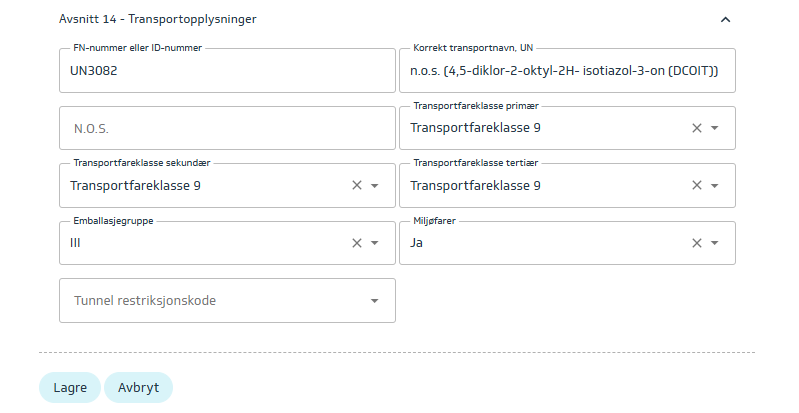
If section 14 is empty, or it is specified that it is not relevant (it says: N/A, not relevant, - , not applicable, etc.) make sure all sections are completely empty, and click the box saying “Not relevant”.
Save changes that have been made.